

For time tracking in medical practices, Planerio leads in 2026 as a software solution: employees clock in and out via app, terminal, desktop, or Wi-Fi, and break times can be deducted automatically on request. Other alternatives include Clockodo, Crewmeister, and TimeTac.
In 2026, digital time tracking in medical practices is no longer optional—it is part of everyday work. Since the ECJ ruling in 2019 and the BAG ruling in 2022, employers must systematically record their employees’ working hours. This also applies to small practices with only a few MFAs. This comparison presents ten time tracking tools for medical practices, from the familiar stopgap Excel to an industry-specific all-in-one solution.
We evaluated them based on recording methods, OMR Reviews scores, App Store and Google Play ratings, as well as legal compliance and suitability for day-to-day practice. Planerio offers the most end-to-end solution for practices: from simple time tracking to shift planning and leave management, all the way to payroll preparation. Clockodo, Crewmeister, and TimeTac are strong, affordable entry-level options, but they do not offer a true medical-practice focus.
Time tracking for medical practices: the 10 tools at a glance
| # | Tool | Best for | Time tracking via | OMR Q3/2026 | APP iOS / Android | Price |
|---|---|---|---|---|---|---|
| 1 | Planerio | Time tracking plus shift planning, absences & payroll preparation | PC Smartphone Terminal Fingerprint RFID card Wi-Fi | 4.7 (128) | 4.6 / 3.9 | from €1.90/user/month |
| 2 | Excel | Most-used stopgap—often already available in medical practices | PC (manual) Manual via printout | – | – | approx. €7/user/month |
| 3 | Clockodo | Working time tracking for small teams | PC Smartphone Terminal | 4.7 (970) | 4.5 / 4.4 | from €4/user/month, €0 (1 user) |
| 4 | clockin | Trades/service businesses with mobile teams | PC Smartphone Terminal | 4.9 (435) | 4.7 / 4.7 | from €3.99/user/month |
| 5 | Crewmeister | Smaller practices; easiest to use | PC Smartphone GPS | 4.6 (785) | 4.7 / 4.6 | from €1.50/user/month |
| 6 | TimeTac | Customizable for larger practices and MVZs | PC Smartphone Terminal | 4.6 (155) | 4.4 / 4.5 | from €5.20/user/month |
| 7 | ZEP | Time tracking with project analytics, specifically for project-based service providers | PC Smartphone Terminal/RFID card (optional) | 4.5 (675) | 3.9 / 4.1 | from €2/user/month |
| 8 | Papershift | Time tracking plus shift planning | PC Smartphone Terminal | 4.3 (240) | 4.0 / 3.0 | from €4/user/month |
| 9 | Timemaster | Terminal and punch clock focus | PC Smartphone Terminal | 4.5 (102) | 4.0 / 2.8 | from €1.49/user/month |
| 10 | Shiftfy | Security services, hospitality, retail | PC Tablet Smartphone (PWA) | – | PWA (no app) | From €2.49/user/month |
Why all medical practices must record working hours in 2026
The ECJ ruling in 2019 and the BAG ruling in 2022 make working time tracking mandatory, and the CDU/CSU coalition agreement for 2025 announces a legal clarification. In practice, this means: start and end times, breaks, and setup times must be documented in a traceable way—GDPR-compliant and audit-proof. You can read the legal details, including TV-MFA and tax audit requirements, in our guide digital time tracking in medical practices. This article focuses on the tools you can use to meet this obligation in everyday practice.
The 10 time tracking tools for medical practices in detail
1. Planerio – the best choice for legally compliant time tracking in medical practices
Planerio is software for digital workforce management and provides particularly end-to-end time tracking for medical practices. Employees clock in via the website on desktop, the smartphone app, or at the terminal using fingerprint or an RFID chip. If desired, this can work only on the practice Wi-Fi, restricted via a static IP address.
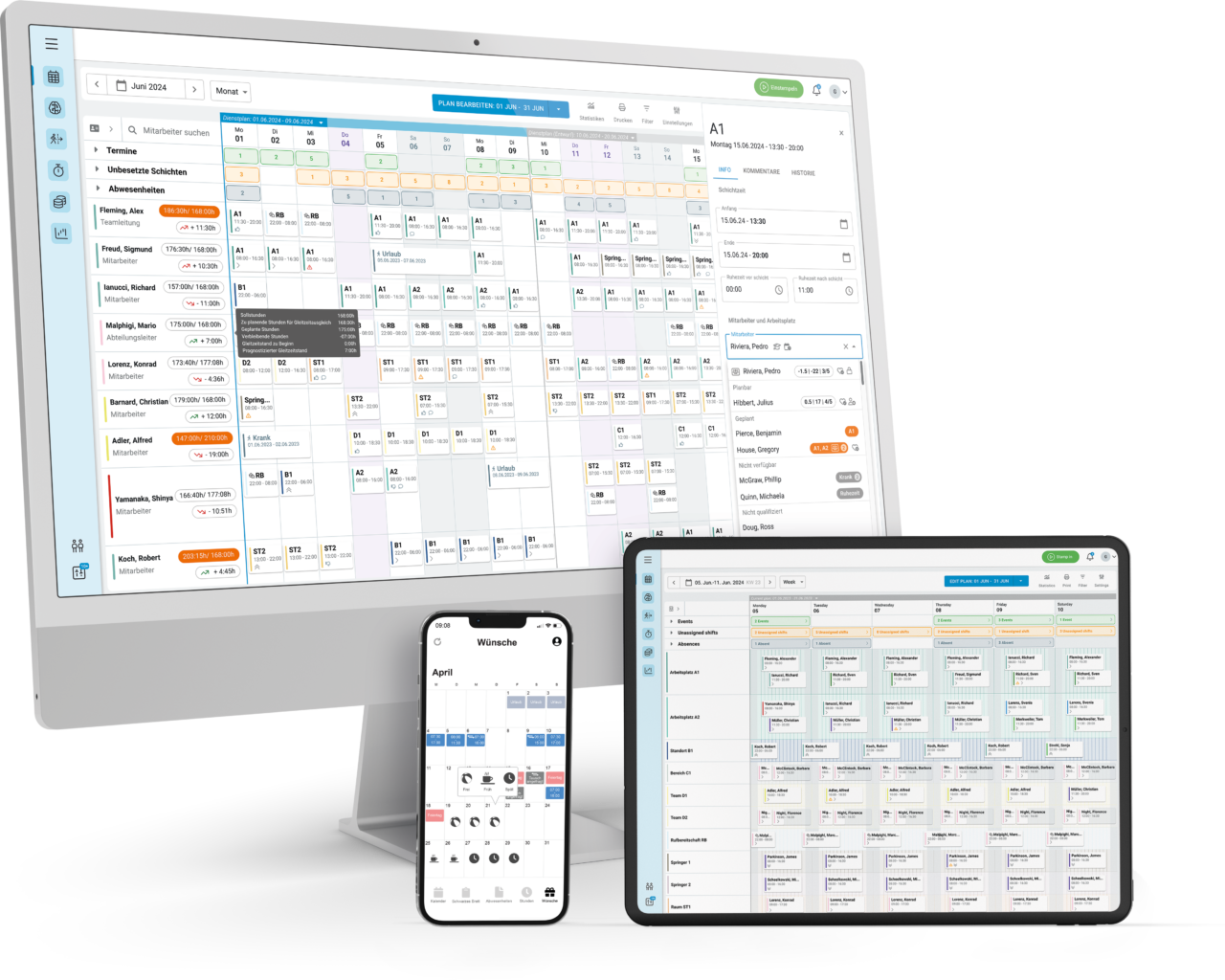
The recorded times flow into timesheets and flexitime accounts in a legally compliant manner in line with ArbZG and ECJ requirements. Hosting is exclusively in Germany, and more than 4,000 sites already schedule with Planerio. The practice-focused approach is also reflected in the integrations: With 100+ integrations, Planerio connects practice-specific systems such as Doctolib and common HIS systems for MVZs, as well as payroll systems such as DATEV and Personio. Pure time tracking is the core. For greater impact, it can be expanded with shift planning, leave management, and payroll preparation.
Best for: Practices and MVZs of any size that want simple time tracking and, if needed, would like to expand it with shift planning, leave management, and payroll preparation. Discover it in the live webinar now!
Recording methods:
- PC (browser)
- Smartphone app (iOS/Android)
- Terminal (fingerprint & RFID)
- Wi-Fi restriction (static IP)
- Offline recording in the app
Ratings:
Pros:
- No. 1 tool in the OMR product category “Medical Staff Scheduling“
- All four recording methods in one system, customizable for any practice—desktop, app, terminal, Wi-Fi
- Time tracking in line with ArbZG and the ECJ; servers located in Germany
- Scalable from simple time tracking to shift planning, absences, and payroll preparation
- Practice-specific integrations such as Doctolib and HIS systems for MVZs
- Deep industry expertise in healthcare
Cons:
- Android app currently rated lower than the iOS app (updates since May 2026 improve stability and offline recording)
- More functionality than needed for a single-person practice
Price: from €1.90/user/month
2. Excel – the most-used stopgap in medical practices
No other tool records more working time in German practices than spreadsheets. That is why Excel ranks second here. It is familiar and already licensed in many practices, so many practice owners use a self-built spreadsheet as an initial interim solution.
However, it is not entirely free, because Excel requires a Microsoft 365 subscription. The cheapest business plan, Microsoft 365 Business Basic, costs around €7 per user per month after the price increase on July 1, 2026—about €84 per user per year. Excel is included only in the web version; desktop Excel is available only from Business Standard.
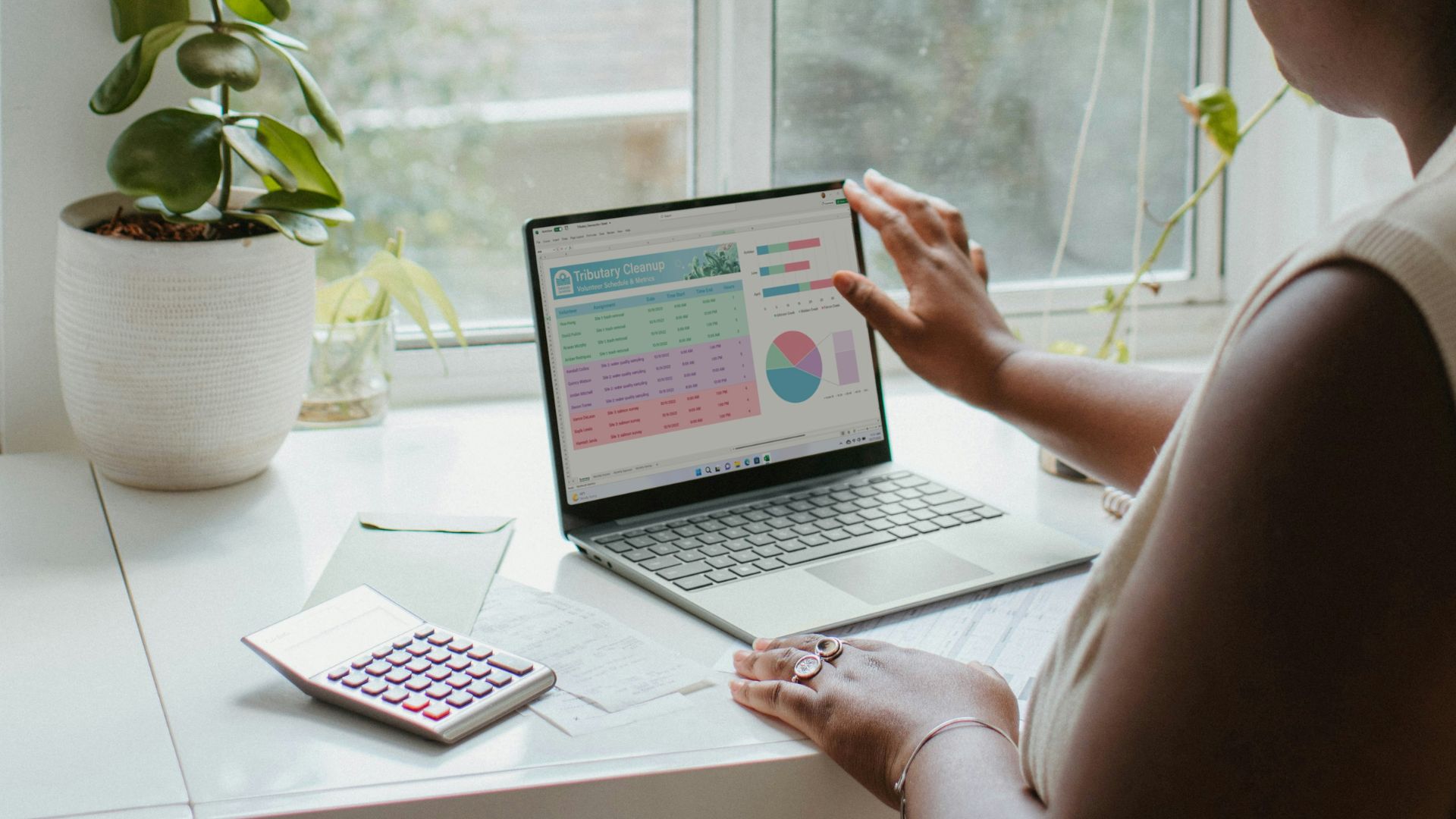
The real catch with using Excel for time tracking is data protection and the potential for manipulation: an Excel spreadsheet can be changed at any time after the fact, does not keep an audit-proof log, and only partially meets the requirements of the ECJ ruling. Terminal or app-based recording and automatic break calculation are also missing. Every entry and every later correction must be entered manually, which significantly increases the workload for payroll accounting.
From a data protection perspective, it becomes tricky as soon as multiple employees access the same spreadsheet or a printed list: working hours, breaks, and overtime are personal data, and colleagues must not be able to view other people’s times. Under the GDPR, access is permitted only for the responsible administration, authorized managers, and employees for their own data. For a growing practice, the spreadsheet quickly becomes a source of errors and a compliance risk.
Best for: Very small teams looking for a familiar interim solution.
Pros:
- Often already available via an existing Microsoft 365 subscription
- No onboarding required; full flexibility
Cons:
- Not tamper-proof
- Legal compliance under ECJ/BAG only partially ensured
- High manual effort and many subsequent corrections
- GDPR risk: a shared spreadsheet or printed list gives colleagues unauthorized insight into others’ working hours
- No app, terminal, or Wi-Fi recording; no automatic break calculation
Price: from €84/user/year (Microsoft 365 Business Basic, €7/user/month, as of July 2026 after the price increase; Excel on the web, desktop Excel only from Business Standard).
3. Clockodo – affordable working time tracking for small teams
Clockodo is a cloud-based time tracking tool with a stopwatch function and absence management. The software targets small and medium-sized businesses and offers an affordable entry plan. Project time tracking is also included, but it is more geared toward agencies, law firms, and consultancies and is rarely relevant in typical practice operations. For pure working time tracking, the Basic plan is sufficient. With an OMR score of 4.7 from 970 reviews, Clockodo is among the highest-rated tools in the category.
Best for: SMEs looking for affordable, straightforward working time tracking.
Free version: permanently free, but only for 1 user and therefore intended for solo businesses. Without absence and leave management, without team/role permissions; reports (PDF/CSV) include the Clockodo logo. For a practice team, a paid plan is required. All plans can be tested for 14 days with any number of employees.
Pros:
- Free plan for single users
- Affordable Basic plan from €4/user for pure working time tracking
- Very good ratings across all channels
Cons:
- Free version limited to 1 user and without leave management
- Industry-neutral generalist—no medical-practice focus, no practice-specific integrations (e.g., Doctolib/HIS)
Price: €0 for 1 user (Free plan); for teams of 2+ users, the Basic plan from €4/user/month (working time tracking + leave management). Project times only in the Pro plan from €10/user/month, which practices usually do not need. 14-day free trial available.
4. clockin – for trades and service businesses with mobile teams
clockin positions itself as an operating system for small and medium-sized businesses, bringing together jobs, staff, and communication. Its strengths clearly lie with mobile teams in trades and services. Time tracking is digital and automated, and the user experience is designed for day-to-day work. With 4.9 from 435 reviews, clockin achieves the highest OMR score in the time tracking field. The solution also performs strongly in the app stores.
Best for: Small and medium-sized businesses—especially in trades and services—that want to bundle time tracking with job and HR processes.
Free version: no permanently free plan, only a 14-day trial (no payment details required). After that, a package is required: digital punch clock from €3.99, project time tracking from €6.99, time tracking & documentation from €9.99 per user/month.
Pros:
- Highest OMR score in the “Time Tracking” category
- Broad feature set beyond pure time tracking
- Very good app ratings
Cons:
- No permanently free plan; only a 14-day trial
- Generalist across many industries – no medical-practice setup, no Medical Assistants or Doctolib specifics
Price: from €3.99/user/month (14-day free trial)
5. Crewmeister – easiest to use for smaller practices
Crewmeister specializes in simple, legally compliant time tracking for SMEs, with an app, project times, optional GPS function, and free support. The low per-user price and the 14-day trial make Crewmeister particularly attractive for smaller teams. With 4.7 (iOS) and 4.6 (Android), the app ratings are among the best in the field.
Best for: Smaller practices looking for straightforward, affordable time tracking.
Pros:
- Time tracking without hardware; PC or app is sufficient
- Easy to use; quick rollout
- Affordable per-user price
Cons:
- The low-cost plan does not include absences such as sickness or annual leave
- Designed for SMEs in general—no medical-practice focus
- No connection to practice systems such as Doctolib
Price: from €1.50/user/month
6. TimeTac – customizable for larger practices and MVZs
TimeTac is a cloud-based, flexibly customizable time tracking solution for medium-sized to larger organizations. With more than 5,000 app reviews, it is among the most widely used solutions, which indicates maturity and adoption. The ability to tailor it to your own requirements is a strength, but setup takes a bit more time.
Best for: Larger practices and MVZs with individual requirements.
Free version: no permanently free plan, only a 30-day trial with full functionality (no credit card required). After that, paid per user/month: working time tracking from €5.20, project time tracking from €9.00, plus a base fee of around €19.50/month.
Pros:
- Highly customizable to your own processes
- Very broad user base and high number of reviews
Cons:
- Medical-practice industry page available, but the product remains generalist
- No practice-specific features or integrations (Doctolib/HIS)
Price: from €5.20/user/month + approx. €19.50/month base fee (30-day free trial)
7. ZEP – time tracking with project analytics
ZEP can be used as time tracking, project time tracking, or project ERP, in the browser and via app. Reporting and absence management are included. With 675 OMR reviews and a score of 4.5, ZEP is well established. Notable is the spread in app ratings: a solid 4.3 in the App Store, but only 2.8 on Google Play. It is worth checking the current Android version before you decide.
ℹ Good to know: ZEP can also be connected to Planerio—there is a ZEP integration, so both systems can be combined (see Planerio integrations).
Best for: Practices that need detailed project and cost analytics.
Pros:
- Strong analytics and reporting features
- Flexible—from time tracking to project ERP
- Affordable entry price
Cons:
- Project and agency focus; no connection to medical practices
- Weak Android app rating
Price: from €2/user/month (ZEP Clock, pure time tracking); project packages from €7 (Compact) or €18/user/month (Professional); add-on modules such as leave management +€1/user/month each
8. Papershift – time tracking plus shift planning
Papershift is a cloud-based HR software for time tracking, shift planning, and workforce management. For shift-based teams, the combination of punch clock and shift plan is practical. The app landscape is split: one shift planning app and a separate punch clock app. Ratings are in the solid mid-range.
Best for: Practices that want time tracking and shift planning from a single provider.
Pros:
- Time tracking and shift planning combined
- Well suited for shift teams
Cons:
- Generalist HR software for all shift-based industries
- No medical-practice specialization or practice integrations
Price: from €4/user/month (time tracking)
9. Timemaster – terminal and punch clock focus
Timemaster focuses on straightforward time tracking in real time, via PC, app, or terminal, starting at €1.49 per employee per month. If your practice relies on a classic punch clock solution with a terminal, this is an affordable provider. However, app ratings are modest (iOS 3.8, Android 2.9), suggesting a smaller mobile user base with room for improvement.
Best for: Practices with a clear focus on terminal and punch clock recording.
Pros:
- Affordable per-user price
- Solid terminal recording with transponder
Cons:
- Weak app ratings
- Pure time tracking/terminal tool without a medical-practice focus or practice integrations
Price: from €1.49/user/month
10. Shiftfy – for security services, hospitality, and retail
Shiftfy is a young, Germany-hosted software for shift planning and time tracking with an AI timesheet scanner and automatic break calculation in line with ArbZG. Its industry focus is clearly on security services, hospitality, and retail, for example with a built-in §34a certificate of competence. This makes Shiftfy less specialized for medical practices than the other tools. It is used as a progressive web app on desktop, tablet, and smartphone; native app-store apps have been announced but are not yet available.
Best for: Businesses in the security, hospitality, and retail environment.
Pros:
- AI timesheet scanner as a unique selling point
- Transparent per-user pricing
Cons:
- No focus on healthcare
- No native app yet; no independent store ratings
Price: from €2.49/user/month
How we evaluated
Our ranking follows transparent criteria rather than gut feeling. We evaluated the recording methods (PC, app, terminal, Wi-Fi), the OMR Reviews scores for the Time Tracking category (as of September 4, 2026), independent App Store and Google Play ratings (as of September 4, 2026), legal compliance under ArbZG and the ECJ, practice and MFA suitability, and pricing transparency. We assessed legal compliance and practice/MFA suitability based on publicly available information, primarily provider websites and review portals.
Planerio ranks first because it is the only tool in the field that combines all recording methods in one system, offers deep industry expertise in healthcare, is hosted in Germany, and can be expanded with shift planning, leave management, and payroll preparation—making it a valuable overall package for medical practices. This is supported by the OMR score of 4.7 from 128 reviews—one of the highest in the comparison. Excel is deliberately ranked second, not because of quality, but because of its widespread use as the most common starting point.
Note: This comparison reflects the status as of September 2026, does not claim to be complete, and does not constitute purchasing or legal advice. Prices, features, and ratings change; please verify the information relevant to you directly with the respective provider before making a decision.
Frequently asked questions about time tracking tools in medical practices
For medical assistants, tools with multiple recording methods and documentation in line with ArbZG are suitable. Planerio covers desktop, app, terminal, and Wi-Fi; affordable alternatives for small teams are Crewmeister and Timemaster.
Most tools range between €1 and €10 per employee per month. In this comparison, only Clockodo offers a true permanent free plan—and only for a single user. clockin (14 days) and TimeTac (30 days) only offer free trial periods. Planerio starts at around €1.90 per employee per month.
Yes. Following the ECJ ruling in 2019 and the BAG ruling in 2022, employers must systematically record working hours, including in medical practices. A legal clarification is set out in the CDU/CSU coalition agreement for 2025.
Yes, provided the vendor is GDPR-compliant and ideally hosts in Germany. Planerio processes data exclusively in German data centers and can restrict clocking to the practice Wi-Fi.